Seven areas. One core.
Every area starts with the question you are asking right now. Below it is what RepoTailor answers and from which edition. The app, the command line and the MCP server use the same core1; what carries In the works is not finished. RepoTailor is not published yet.
What if a rebase, a reset or a pull goes wrong?
Undo for every action2
Every action has a plan, a backup ref under refs/repotailor/backup and an entry in the log. Undo is itself an action; if the state has changed since, it refuses and says why.
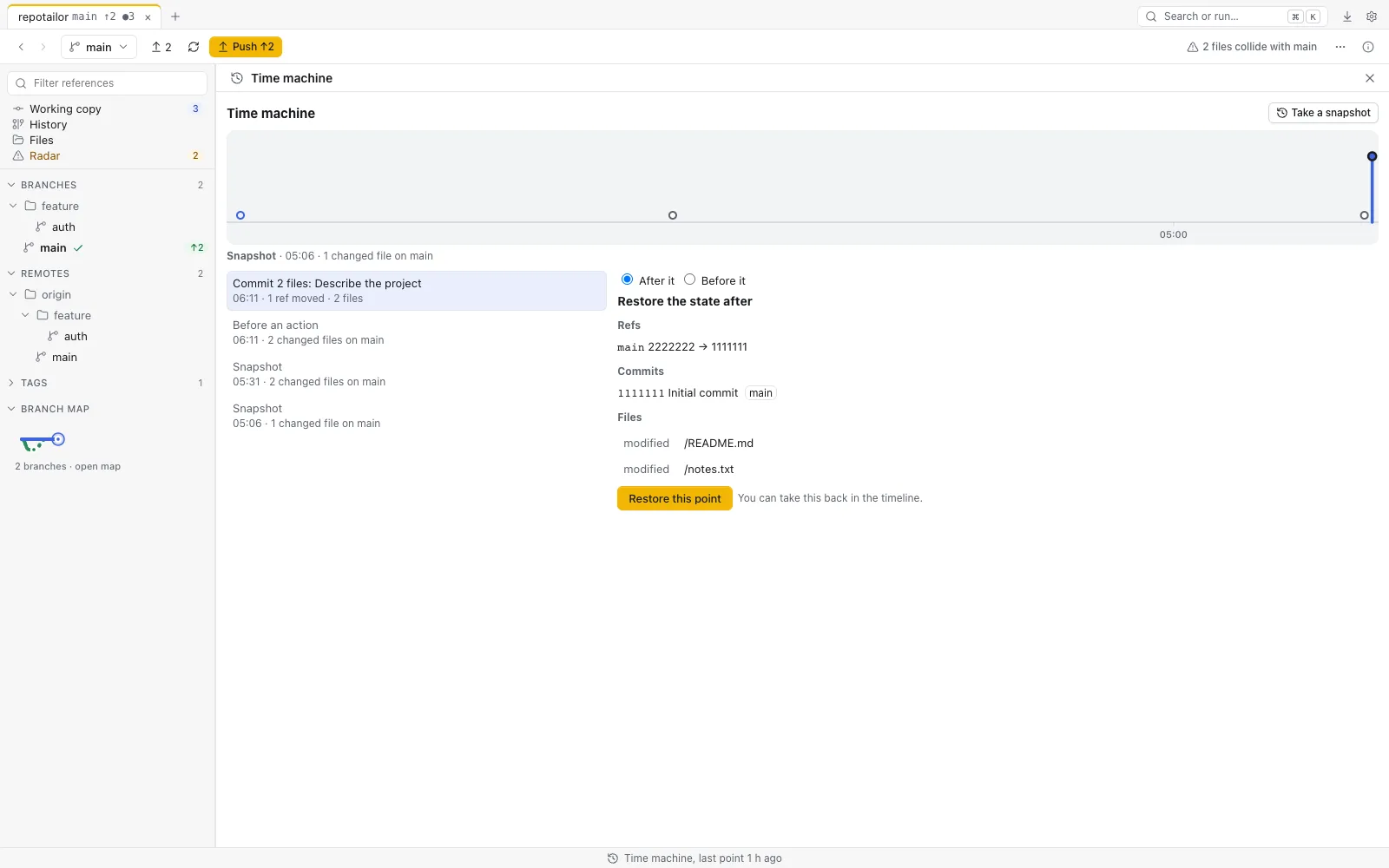
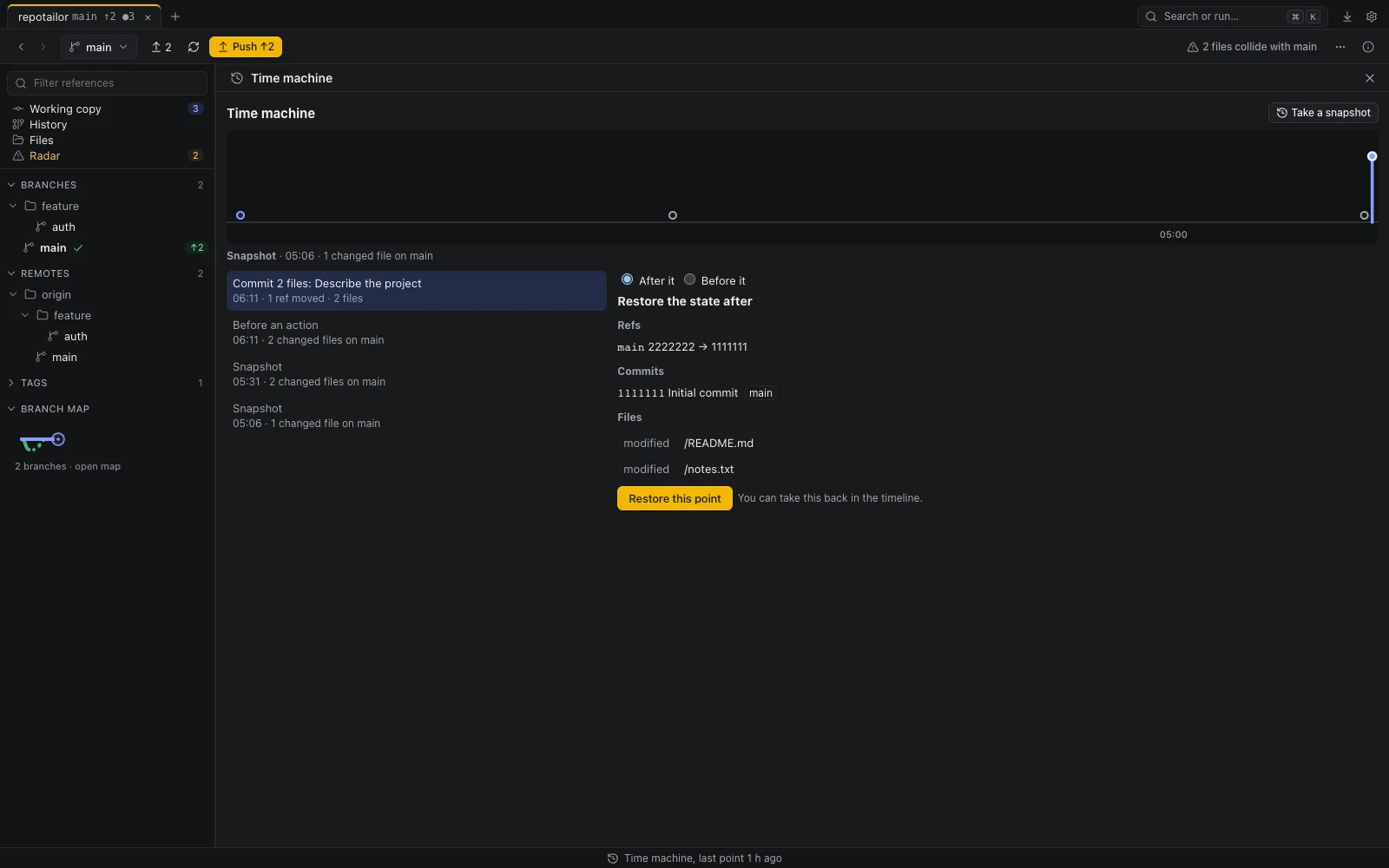
Time machine3
Every five minutes (only when something changed) and always before an action. A preview with branches, commits, files and diff; restore a single file or the whole state. Snapshots live as refs in the repository and never touch the index or working files.
Dry run4
The dry run happens in memory only; .git stays byte-identical. Accepting runs exactly what you saw.
Conflict radar5
Recomputes after every change in memory and without network traffic; conflicts a merger plugin resolves do not count. “Try the merge…” opens the dry run.
Switching without a stash6
Parked work lives as a stash-like commit under refs/repotailor/parked and is part of undo and the time machine.
Secret protection and rescue7
A scan before every commit and push; the rescue is an operation with a dry run and undo. Marker to allow a finding: repotailor-scan:allow.
Crash-safe2
A write-ahead record in .git/repotailor holds the running operation; both ways are safe, the state before is always kept.
Can I work in it all day – fast and without an account?
Repositories in tabs8
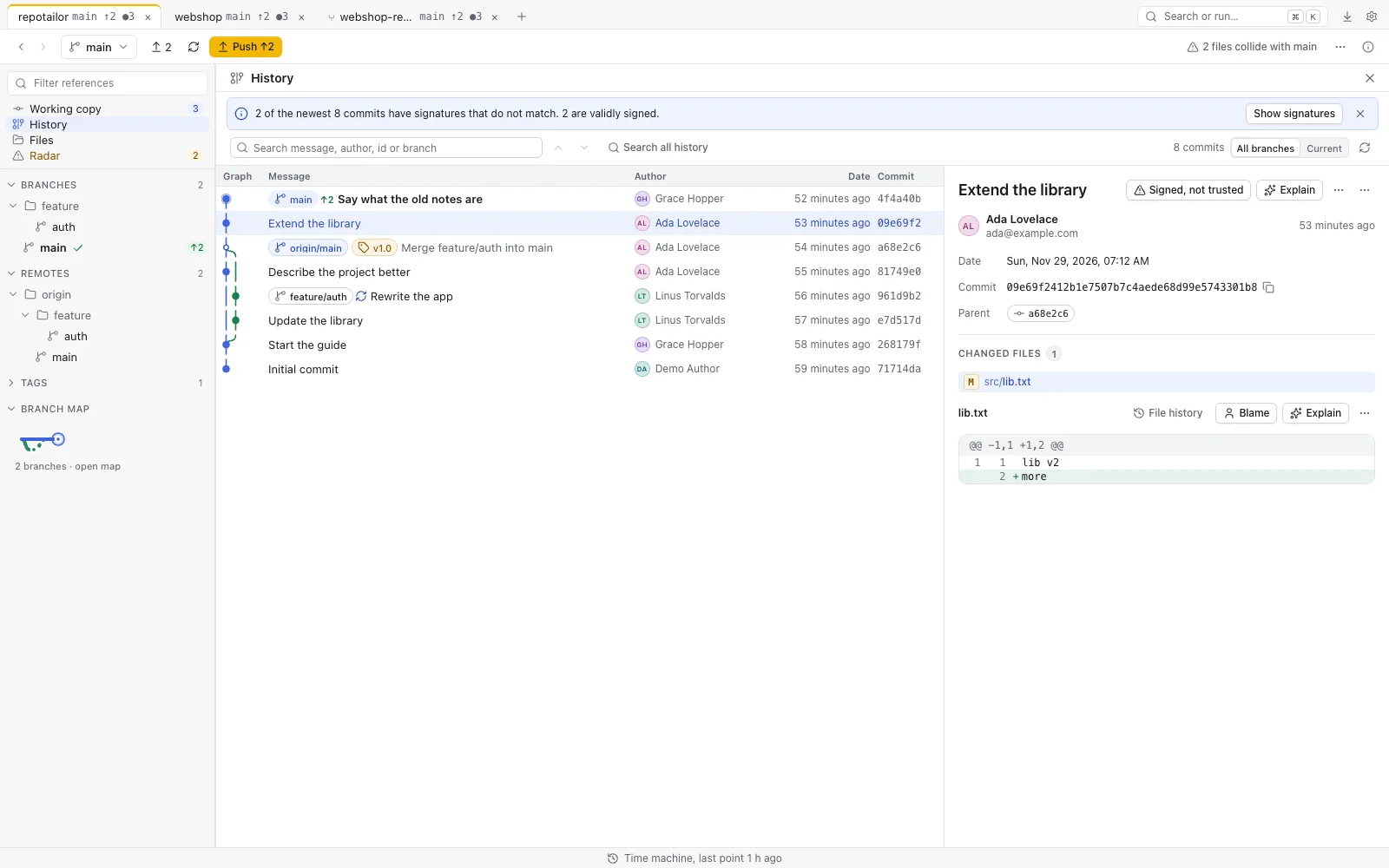
Status per tab (branch, ahead/behind, changes), background fetch with quiet errors, clone and init, worktrees as tabs.
Staging and commit8
Discarding lines is reversible. Templates, Conventional Commits, amend; from app start to a commit at most two keystrokes (⌘/Ctrl+Enter).
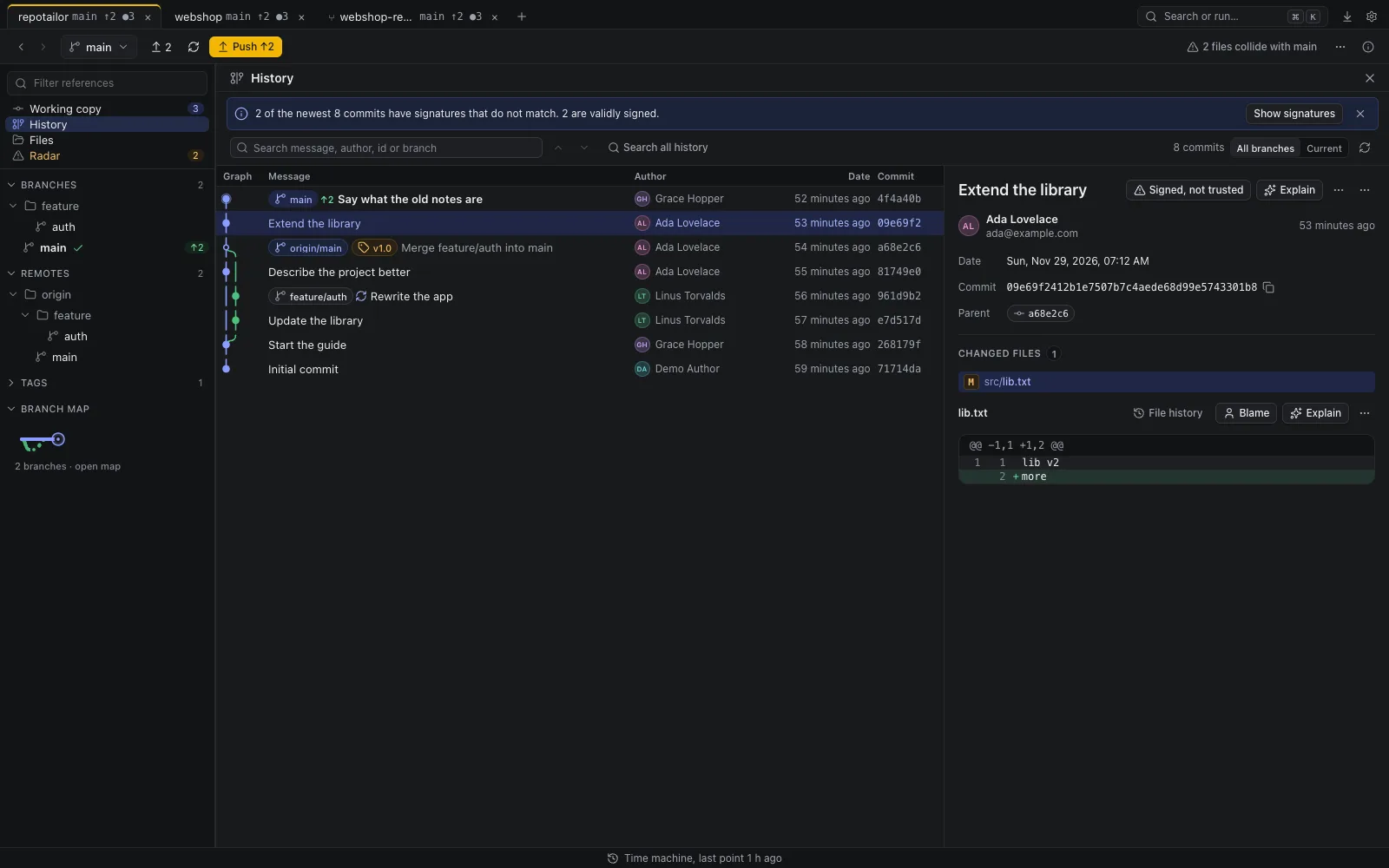
Graph, blame, reflog8
The graph is virtualised; diffs with word and image comparison, large files (10 MB) scroll without stutter.
SSH, HTTPS and signing9
SSH is built in Rust (no installed git needed); a changed host key is never trusted automatically. Passphrases and credentials live in the keychain.
Profiles per folder or remote9
A profile is resolved by choice, remote, folder or default; your Git configuration is never written.
Pull requests on five hosts9
Cloud and self-hosted; tokens in the keychain; the actions follow the host of the remote.
How do I quickly find what I need – without digging through menus?
Context bar, sidebar, inspector10
The main area is never empty: the changes view when there are changes, otherwise the history. Sidebar sections appear only if the repository has them. Light, dark or system, two densities; the first start asks about AI with “not now” as the default.
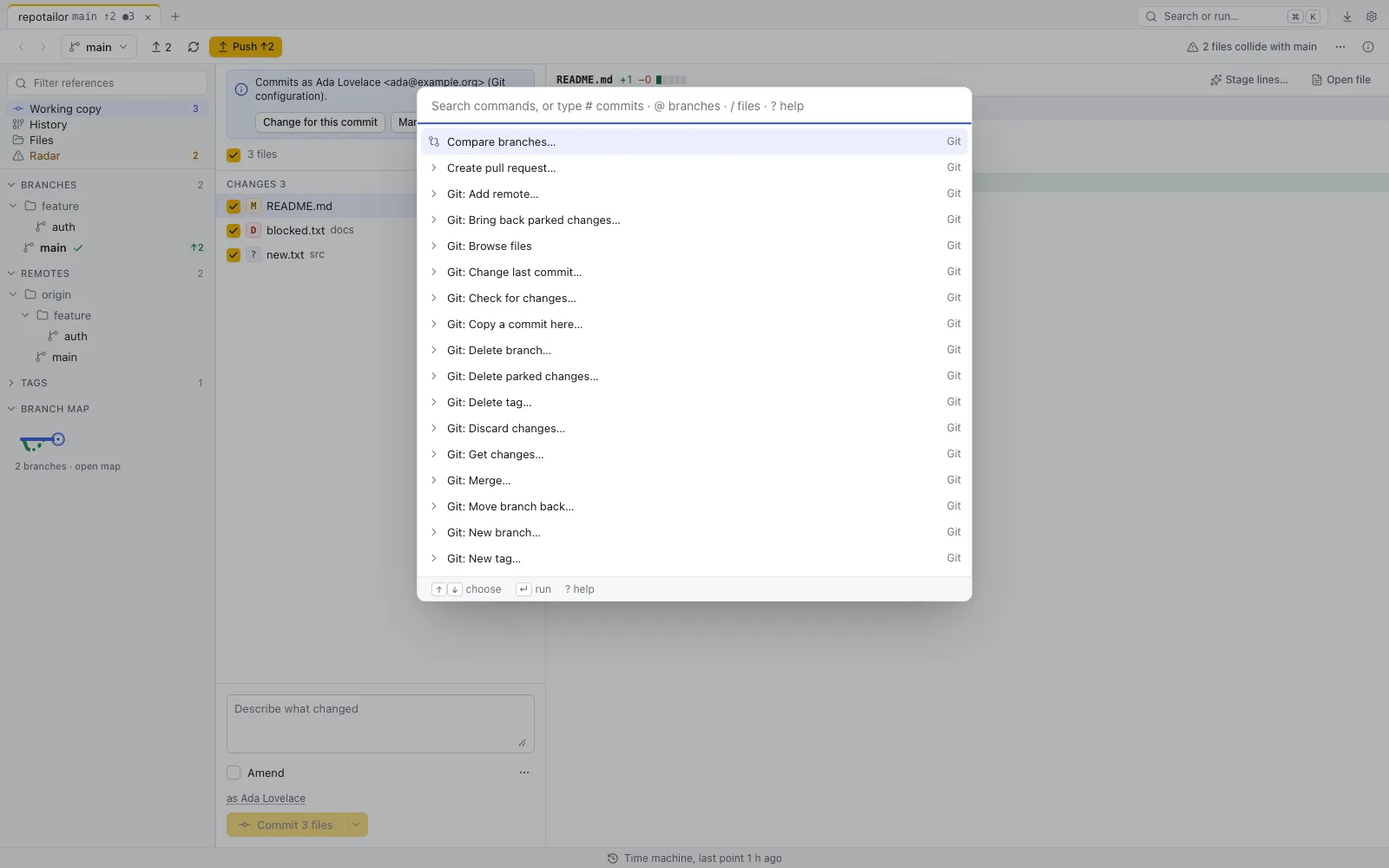
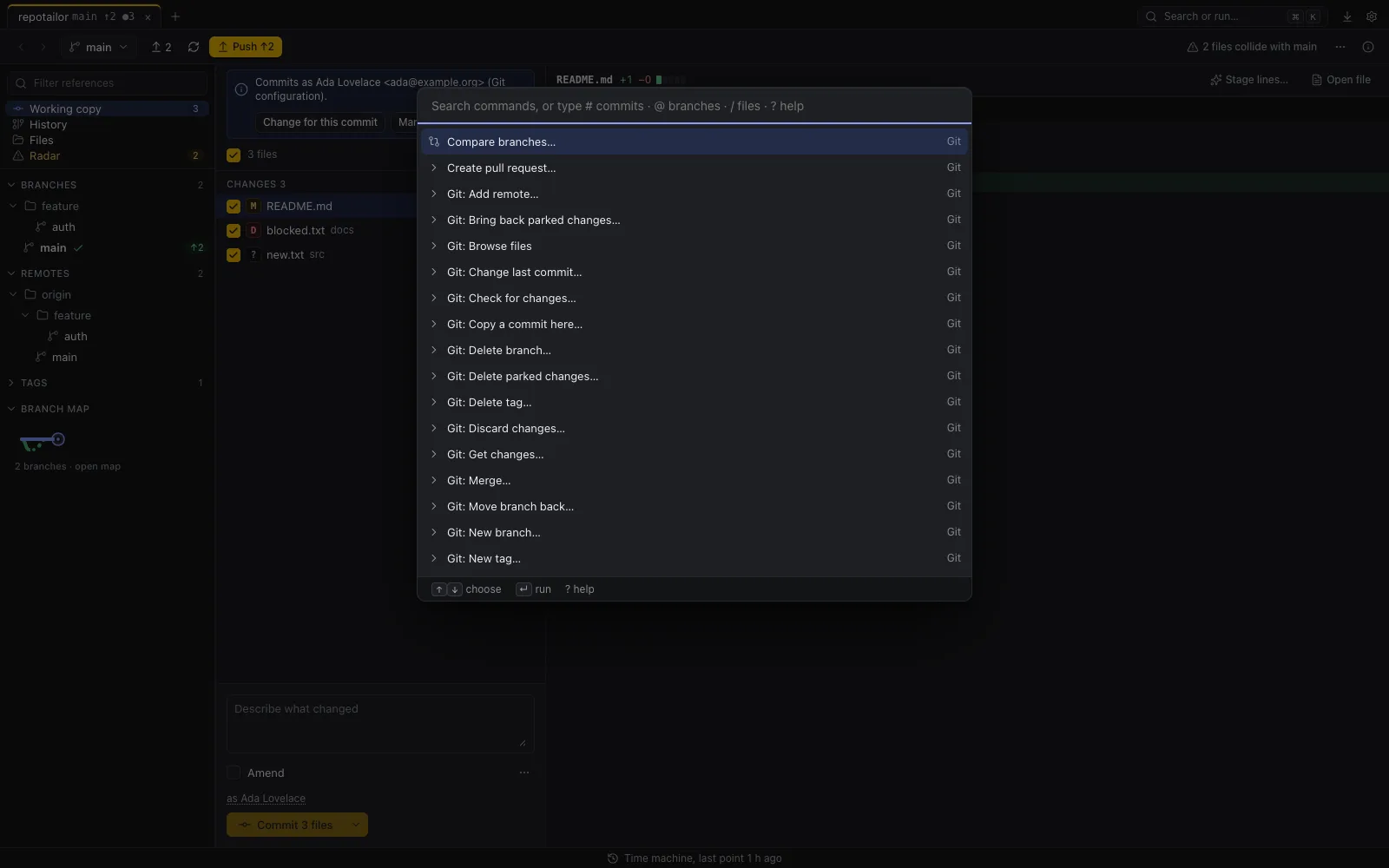
Command palette11
Also finds the actions of extensions; modes for commands, commits, branches and files. Budget: first result in at most 50 ms with 500 commands.
Branch switcher12
Rows with ahead/behind, parked changes and age; with uncommitted changes the parking plan stands in one line below. Budget: at most 16 ms per key press with 5,000 refs.
Back and forward, back to the previous branch13
Back and forward never change the repository and live in memory only. “Back to the previous branch” is a Git operation with a plan, parking, hooks and undo.
Sync and compare14
Numbers like git rev-list --left-right --count; a popover with commits, files, plan and a preview per option. The “Compare” view sets two refs side by side. Force push is never the default.
Changes, commit box and graph actions15
Discarding keeps a copy first. In the graph: multi-select with squash, cherry-pick and compare, dragging for cherry-pick, merge or rebase.
AI in place16
Target, model, size and masked secrets are shown before sending; Esc restores the old text. Without setup no ✨ appears. Your own key, no provider preselected.
Branch map, statistics and charts17
With a text form for screen readers; Free shows raw numbers without a ranking. Budgets: statistics for 100,000 commits in at most 1.5 s, the branch map with 500 branches in at most 200 ms.
UNDO.
What the app does you can take back – also what the command line or an agent did, because they are the same operations with a backup before them2.
To the sourceDoes it also cover rebase, stacks, submodules and LFS?
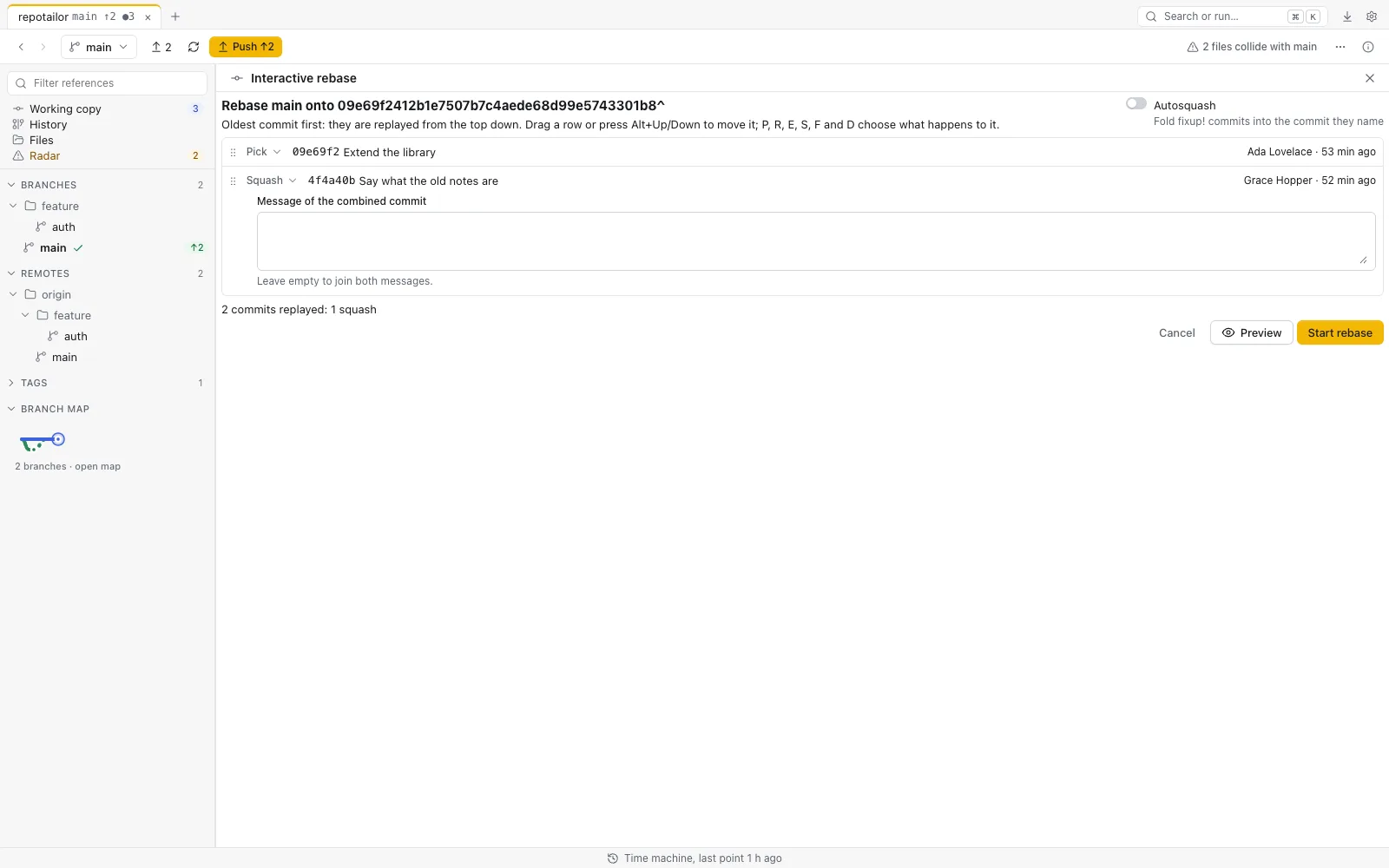
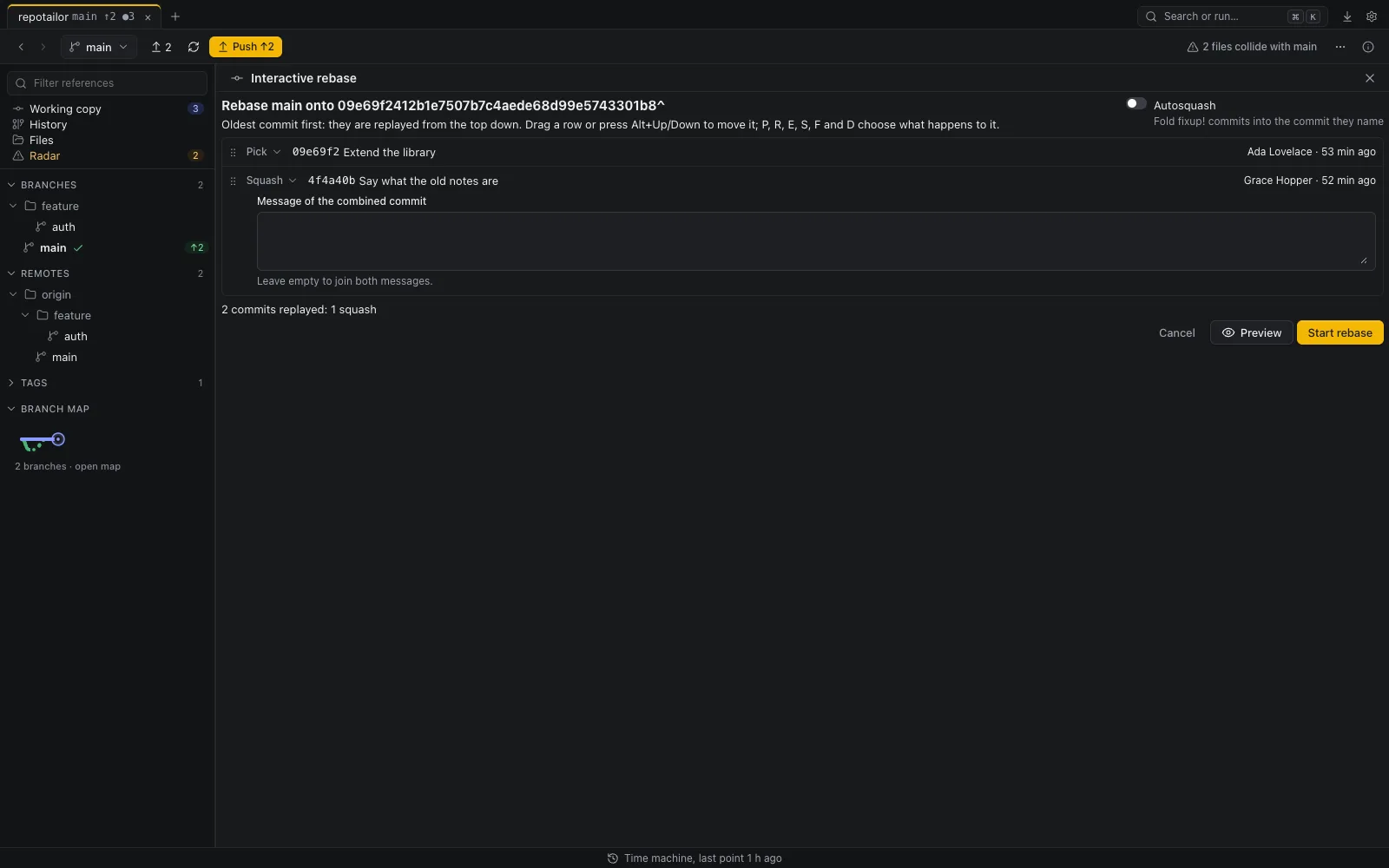
Interactive rebase18
Autosquash, pull with rebase, continue and abort also for a rebase begun by git; hooks as in git rebase. Rebase of 100 commits: budget under 2 s.
Force push only with a lease19
Always --force-with-lease and --force-if-includes; main, master and release/* are locked by default (configurable). The plan names what gets overwritten.
Stacked branches and Git-Flow20
A chain of pull requests with the right target; Git-Flow with the keys of git-flow AVH (feature, release, hotfix).
Submodules, sparse checkout, worktrees21
Open a submodule as its own tab, commit the pointer; cone patterns byte-identical with git; removing saves the working tree first.
Git LFS without git-lfs22
Own code following the v1 specification; missing objects are fetched in one batch; offline the pointer stays.
Hooks and external tools23
pre-commit, commit-msg, pre-push, post-* and more; diff.tool and merge.tool (also Kaleidoscope, Beyond Compare, VS Code) run as an operation with undo.
Structure diff24
WebAssembly plugins; lockfile conflicts are solved by regenerating with the package tool (npm, cargo, pnpm, yarn, poetry, composer, bundler) as an operation with undo.
Docs:
How does Git become understandable – for me and for the team?
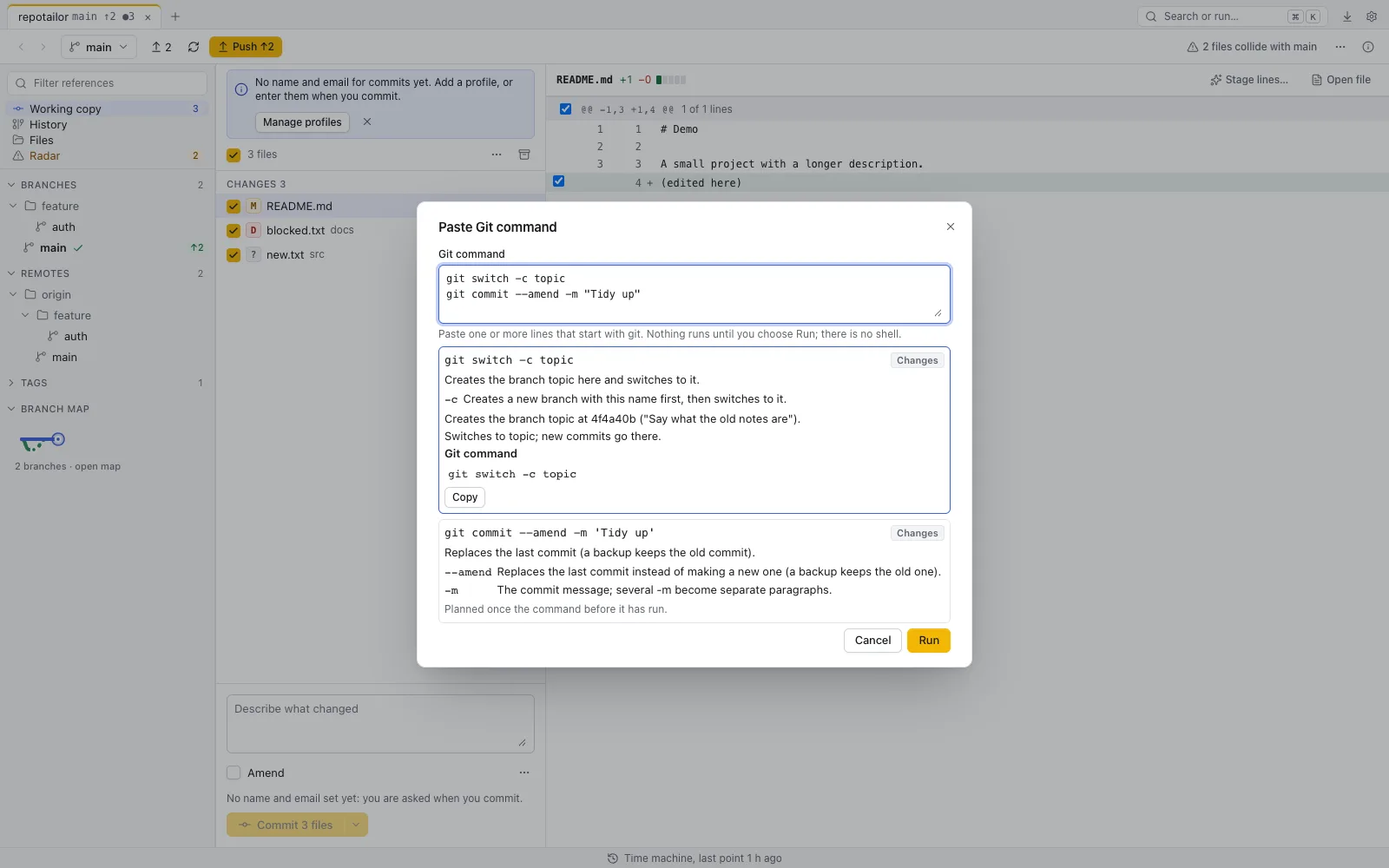
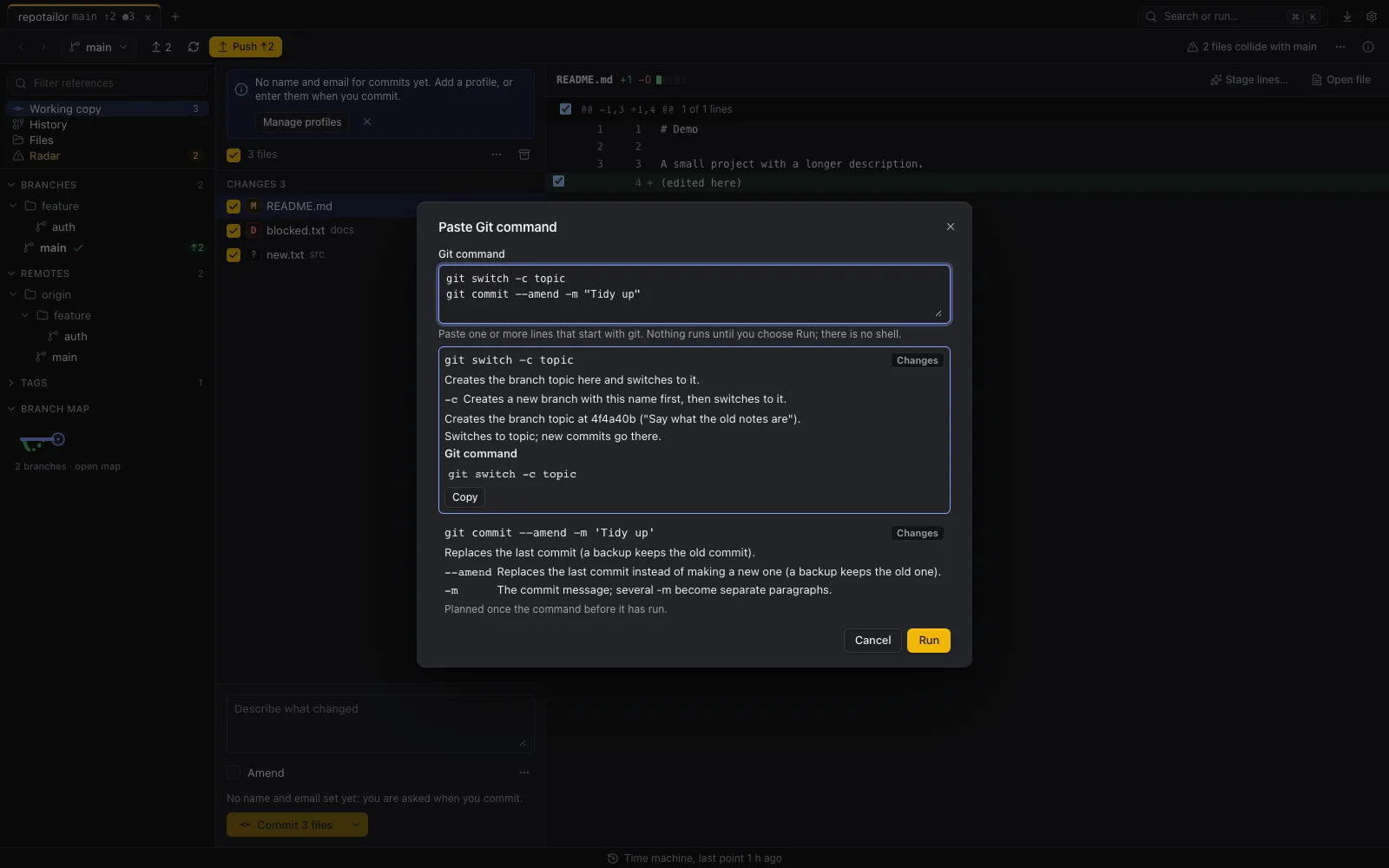
Paste a Git command25
Never in a shell: pipes, redirects and variables are refused, every option is explained; rewriting forms run as a dry run. Conversely every action shows the matching command.
Repository care26
One operation, one undo; local only, nothing on the server.
Practice ground27
Tasks check the state, never the way; “Start over” is an operation with undo.
Team rules without a server28
A lower bound with the levels off, warn and block; hooks from the file run only after your approval.
AI with your own key29
Every provider from Anthropic to local; key in the keychain; secrets masked; off per device, repository or file. None is preselected.
Command line and MCP server1
The CLI reads and writes with a plan, confirmation or --yes; the MCP server is read-only, secrets are masked.
SAP plugins30
One WebAssembly plugin with four differs; without it everything falls back to the line diff.
What makes it pleasant to work in?
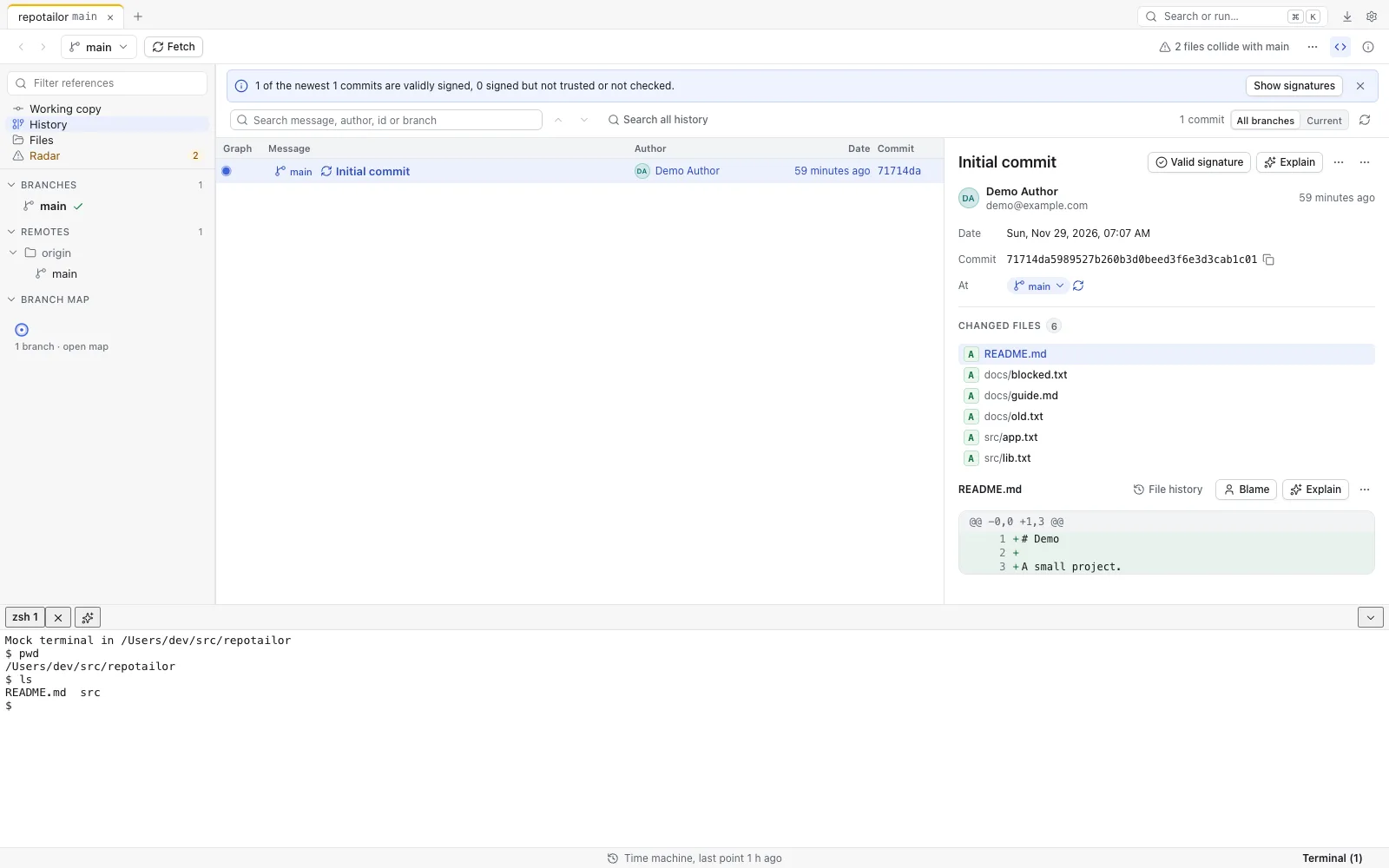
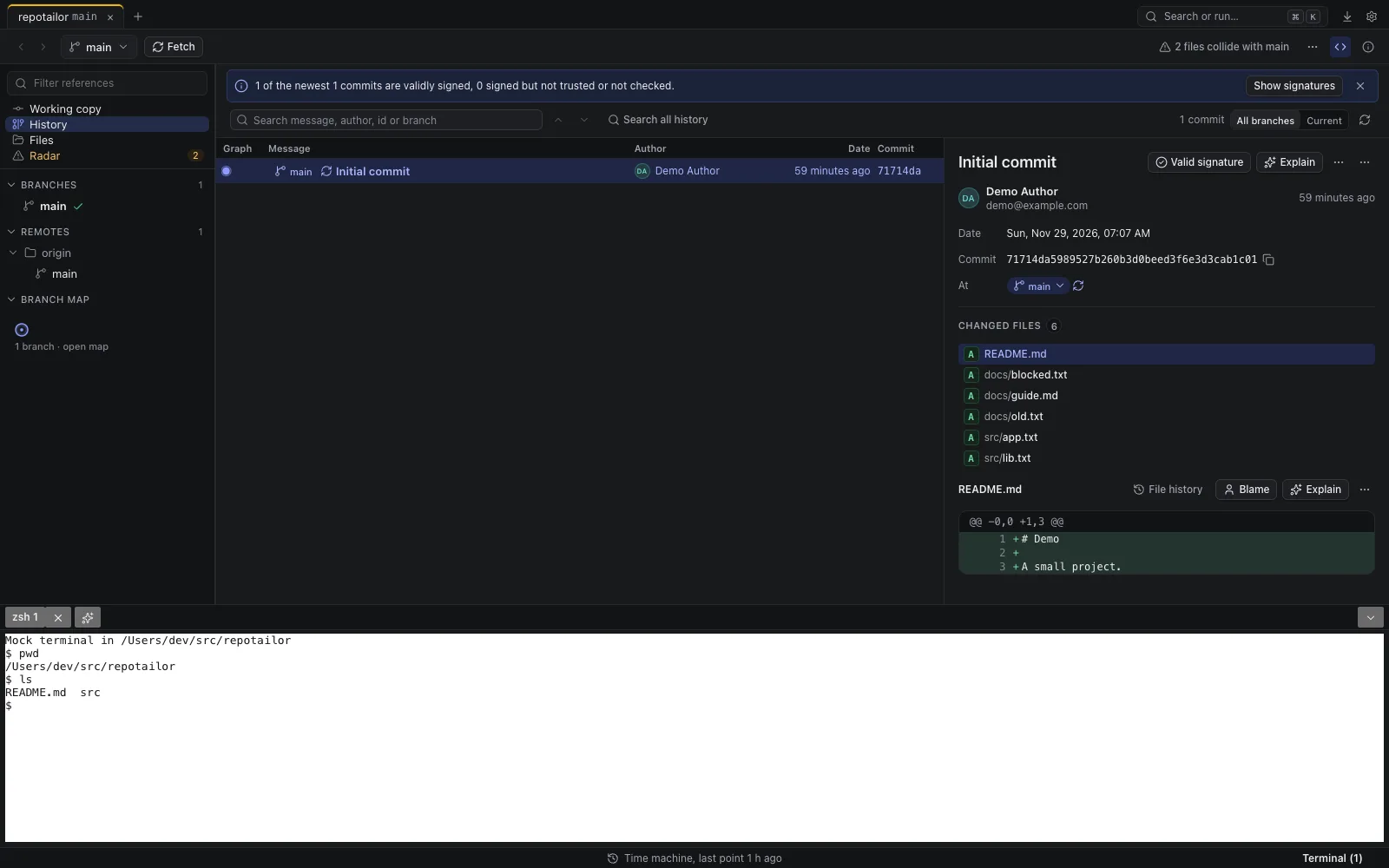
Built-in terminal31
Off until you switch it on; Ctrl+` opens it. What you type is outside log and undo, as in any terminal.
Repository groups32
In the quick switcher group:<name> filters; members may be closed.
Vim keys in lists33
A setting on the “Keyboard” page; off by default.
Links and “Open in”34
A link only shows something; credentials in addresses are refused. Plus the “Open in RepoTailor” menu entries on Windows.
How do you get more out of Git – with AI that plans instead of just writing?
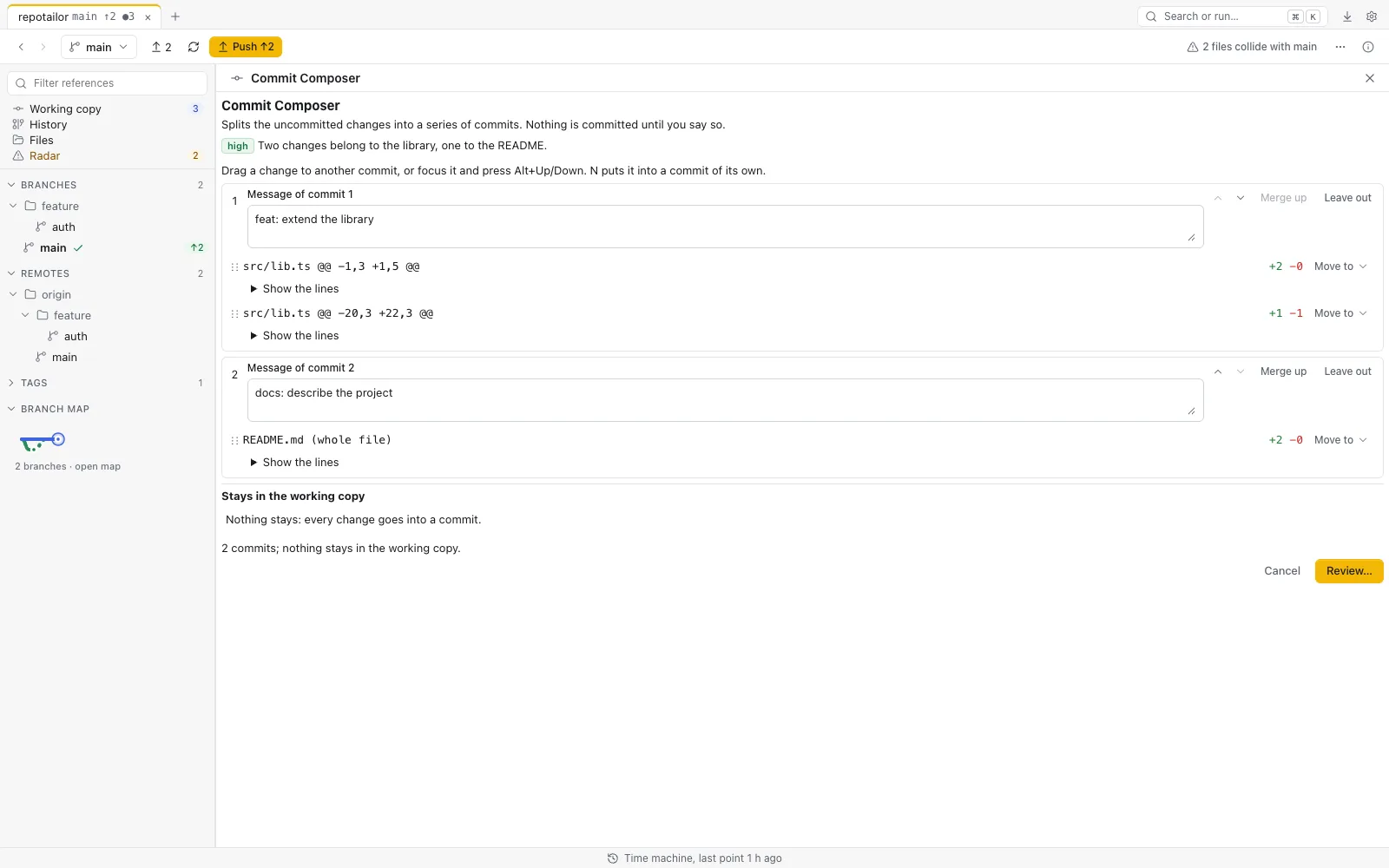
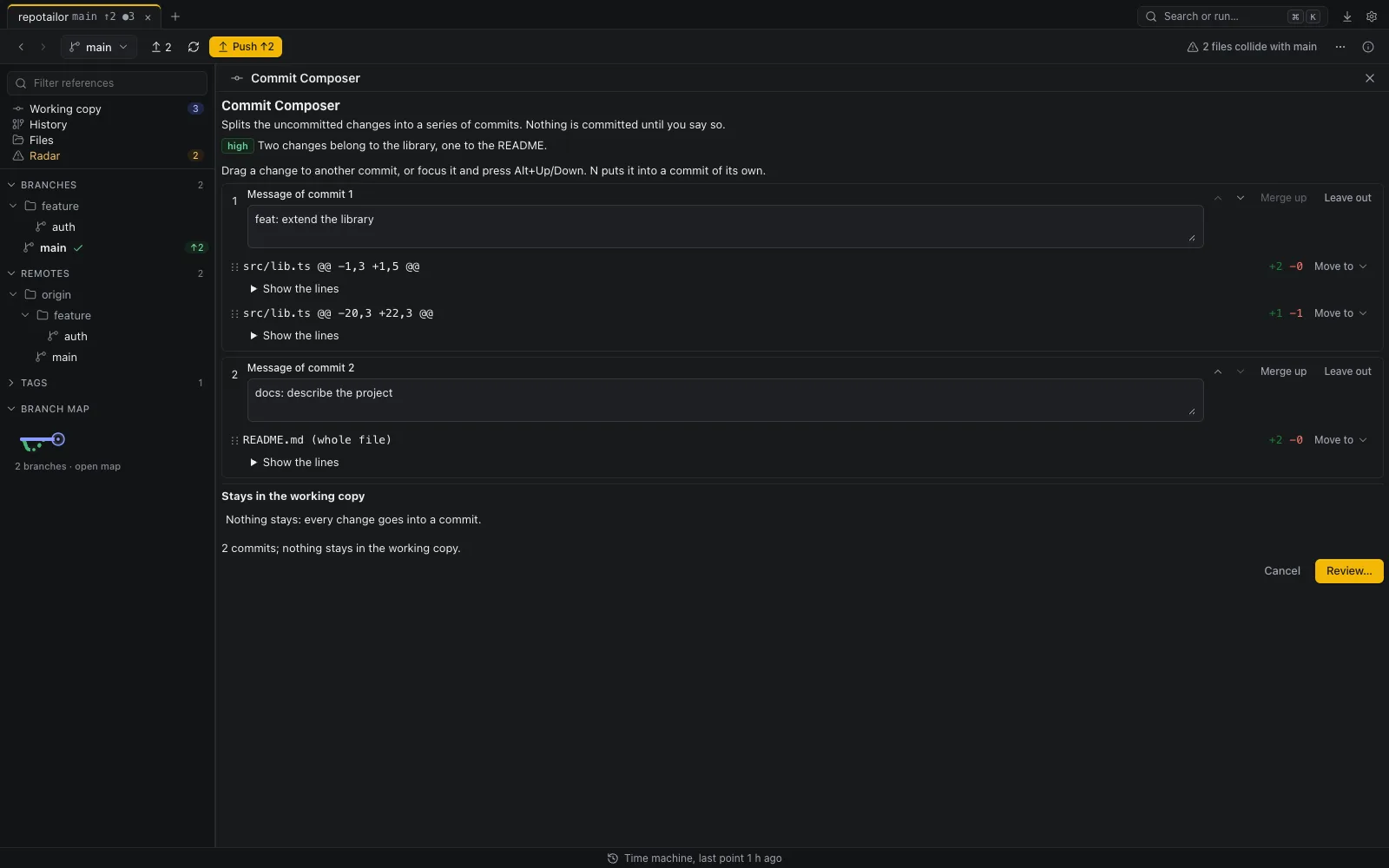
Commit composer35
The suggestion comes as a plan with a preview; applying is an operation with undo.
Conflict solver35
The conflict forecast also computes a resolution and offers it when the real merge stops at the same conflict.
Rebase planner and PR author35
The rebase planner plugs in as a “Suggest” source in the rebase editor; nothing runs without “Start rebase”.
Pre-commit review, PR review, push guard35
Comments are never posted without a button press; the push guard never blocks on its own.
Assistants35
All as a plan with a preview.
Semantic search, “ask the history”, insights36
The index stays on the device; only masked text goes, after a preview, to your embedding provider. Insights compute locally and export CSV.
Repository style, branch from task, release notes36
The style learns without AI; issues come from GitHub, Jira Cloud and Azure Boards.
Agent cockpit and a writing MCP server37
A local audit log; every operation carries the actor (“by …”) in the timeline; everything has undo.
Workspaces and customer profiles37
A result and an undo per repository.
Managed AI without your own key38
Built, but there is no server yet.
Team, sync and SSO38
The client is built; the team server is still missing, until then it sends nothing.
Docs:
Free for everything that exists today.
The pills on every feature show from which edition it is included. The comparison has everything in one table.
Purchase cancelled – nothing was charged.
Sources on this page
The superscript numbers in the text point here. Tap one to see the source right where it is used; all sources of this website are listed on one page.
- 1
Command line ↑Product · RepoTailor core repository, docs/wellen/welle-4.md (Strang F), website/docs/05-cli.md · checked on 2026-11-29
- 2
Undo for every action ↑Product · RepoTailor core repository, CLAUDE.md (Produktprinzip 3; Welle 2, Strang B), website/docs/03-undo-and-time-machine.md, docs/wellen/welle-2.md · checked on 2026-11-29
- 3
Time machine ↑Product · RepoTailor core repository, docs/wellen/welle-2.md (Datenmodell, Strang A), website/docs/03-undo-and-time-machine.md · checked on 2026-11-29
- 4
Dry run ↑Product · RepoTailor core repository, docs/wellen/welle-2.md (Strang C), website/docs/04-dry-run-and-radar.md · checked on 2026-11-29
- 5
Conflict radar ↑Product · RepoTailor core repository, docs/wellen/welle-2.md (Strang D), website/docs/04-dry-run-and-radar.md, perf/README.md · checked on 2026-11-29
- 6
Switching branches without a stash ↑Product · RepoTailor core repository, docs/wellen/welle-2.md (Strang E), website/docs/03-undo-and-time-machine.md · checked on 2026-11-29
- 7
Secret protection ↑Product · RepoTailor core repository, CLAUDE.md (Produktprinzip 4), docs/wellen/welle-2.md (Strang F), docs/wellen/welle-1.md (Commit und Sync) · checked on 2026-11-29
- 8
The daily client ↑Product · RepoTailor core repository, docs/wellen/welle-1.md, docs/UMSTEIGER-CHECKLISTE.md · checked on 2026-11-29
- 9
SSH, HTTPS, signing, profiles, hosts ↑Product · RepoTailor core repository, docs/wellen/welle-1.md (Stränge A, D, E), docs/wellen/welle-3.md (Strang H), website/docs/11-hosts-and-ssh.md · checked on 2026-11-29
- 10
The window: context bar, sidebar, inspector ↑Product · RepoTailor core repository, docs/wellen/welle-8.md (Abschnitte 3 und 10), CLAUDE.md (Welle 8, Strang A) · checked on 2026-11-29
- 11
Command palette ⌘K ↑Product · RepoTailor core repository, docs/wellen/welle-8.md (Abschnitte 3.3, 11 und 14: W8-3), CLAUDE.md (Welle 8, Strang B), perf/budgets.toml · checked on 2026-11-29
- 12
Branch switcher ⌘B ↑Product · RepoTailor core repository, docs/wellen/welle-8.md (Abschnitt 5, W8-4), CLAUDE.md (Welle 8, Strang B), perf/budgets.toml · checked on 2026-11-29
- 13
Back and forward, back to the previous branch ↑Product · RepoTailor core repository, docs/wellen/welle-8.md (Abschnitt 6, Anhang „back“, W8-5), CLAUDE.md (Welle 8, „Zurück“) · checked on 2026-11-29
- 14
Sync cluster and compare ↑Product · RepoTailor core repository, docs/wellen/welle-8.md (Abschnitt 7, W8-6, W8-7), CLAUDE.md (Welle 8, Strang D), perf/budgets.toml · checked on 2026-11-29
- 15
Changes view, commit box, conflicts, graph actions ↑Product · RepoTailor core repository, docs/wellen/welle-8.md (Abschnitte 4.1 bis 4.3), CLAUDE.md (Welle 8, Strang C) · checked on 2026-11-29
- 16
AI in place: ✨ with consent on every call ↑Product · RepoTailor core repository, docs/wellen/welle-8.md (Abschnitt 9, W8-8), CLAUDE.md (Welle 8, Strang F) · checked on 2026-11-29
- 17
Charts and statistics from local data ↑Product · RepoTailor core repository, docs/wellen/welle-8.md (Abschnitt 8, W8-9), CLAUDE.md (Welle 8, Strang E), perf/budgets.toml · checked on 2026-11-29
- 18
Interactive rebase ↑Product · RepoTailor core repository, docs/wellen/welle-3.md (Strang A), website/docs · checked on 2026-11-29
- 19
Force push only with a lease ↑Product · RepoTailor core repository, CLAUDE.md (Technische Leitplanken „Umschreiben“), docs/wellen/welle-3.md (Strang B) · checked on 2026-11-29
- 20
Stacked branches and Git-Flow ↑Product · RepoTailor core repository, docs/wellen/welle-3.md (Strang C) · checked on 2026-11-29
- 21
Submodules, sparse checkout, worktrees ↑Product · RepoTailor core repository, docs/wellen/welle-3.md (Strang D) · checked on 2026-11-29
- 22
Git LFS without git-lfs ↑Product · RepoTailor core repository, docs/wellen/welle-3.md (Strang E) · checked on 2026-11-29
- 23
Hooks and external tools ↑Product · RepoTailor core repository, docs/wellen/welle-3.md (Strang F) · checked on 2026-11-29
- 24
Structure diff, notebooks, lockfiles ↑Product · RepoTailor core repository, docs/wellen/welle-3.md (Strang G), docs/wellen/welle-7.md (Strang E), plugins/README.md · checked on 2026-11-29
- 25
Paste a Git command ↑Product · RepoTailor core repository, docs/wellen/welle-4.md (Strang A) · checked on 2026-11-29
- 26
Repository care ↑Product · RepoTailor core repository, docs/wellen/welle-4.md (Strang B) · checked on 2026-11-29
- 27
Practice ground ↑Product · RepoTailor core repository, docs/wellen/welle-4.md (Strang C) · checked on 2026-11-29
- 28
Team rules in .repotailor.yml ↑Product · RepoTailor core repository, docs/wellen/welle-4.md (Strang D) · checked on 2026-11-29
- 29
AI with your own key, masked, with a preview ↑Product · RepoTailor core repository, docs/wellen/welle-4.md (Strang E), website/docs/08-ai-and-privacy.md, CLAUDE.md (Produktprinzip 4) · checked on 2026-11-29
- 30
SAP plugins ↑Product · RepoTailor core repository, docs/wellen/welle-4.md (Strang G), website/docs/09-plugins-and-sap.md, plugins/sap · checked on 2026-11-29
- 31
Built-in terminal ↑Product · RepoTailor core repository, docs/wellen/welle-7.md (Strang A), CLAUDE.md (Welle 7) · checked on 2026-11-29
- 32
Repository groups ↑Product · RepoTailor core repository, docs/wellen/welle-7.md (Strang B) · checked on 2026-11-29
- 33
Vim keys ↑Product · RepoTailor core repository, docs/wellen/welle-7.md (Strang C) · checked on 2026-11-29
- 34
Links and open in ↑Product · RepoTailor core repository, docs/wellen/welle-7.md (Strang D), README.md · checked on 2026-11-29
- 35
Pro: AI functions across the Git workflow ↑Product · RepoTailor Pro repository, ui/src/editions/editions.ts, docs/welle-5.md, CLAUDE.md · checked on 2026-11-29
- 36
Pro: understanding and analysis ↑Product · RepoTailor Pro repository, ui/src/editions/editions.ts, docs/welle-6.md, docs/welle-7.md · checked on 2026-11-29
- 37
Pro: agents, workspaces, profiles ↑Product · RepoTailor Pro repository, ui/src/editions/editions.ts, docs/welle-6.md, docs/welle-7.md, CLAUDE.md · checked on 2026-11-29
- 38
Pro: not yet with a server ↑Product · RepoTailor Pro repository, CLAUDE.md (Netz), ui/src/managed-ai/model.ts, ui/src/team/model.ts · checked on 2026-11-29
Questions about the features.
- What is in the core, what in Pro?
- Free contains the safety net, daily work, professional tools, team rules, AI with your own key, command line, read-only MCP and terminal. Pro adds AI across the whole workflow, semantic search, an agent cockpit and a writing MCP server; Pro is built, not published yet.
- What is not built?
- Among others LFS locking, --rebase-merges, exec in the rebase todo, the tree-sitter diff for code, the macOS Services-menu entry and .mailmap. The docs name the gaps per area.
- Is everything tested?
- The core has tests against real git (rebase, undo and staging among them) and acceptance tests per wave. Some points are still a demonstration by hand, such as real servers of Bitbucket, Azure DevOps and Codeberg and the run on Windows.
- What is in the works?
- Managed AI without your own key and team, sync and SSO: the client is built, a server is still missing.
Your question isn’t here? Talk to me: +43 664 1964199 office@clouddna.at Get in touch